Unforgettable Car Generator
The unforgettable car generator turns two photos into one finished video: you and a car. It needs a clear photo of your face and, if you like, a photo of the car. It returns a 12-second clip of the 2 and 4 card reveal, ready to download and post.
01 · 0:00
Turn and talk
02 · 0:02
Cards 2 and 4
03 · 0:04
Car reveal
04 · 0:09
Car alone
1Your photo
2Car photo (optional)
12-second video in an empty parking lot at sunset. Takes about five minutes.
The video is silent. Add the song inside TikTok or Reels. See pricing
How to use the unforgettable car generator
The generator has two upload boxes and one button. Here is what each step does.
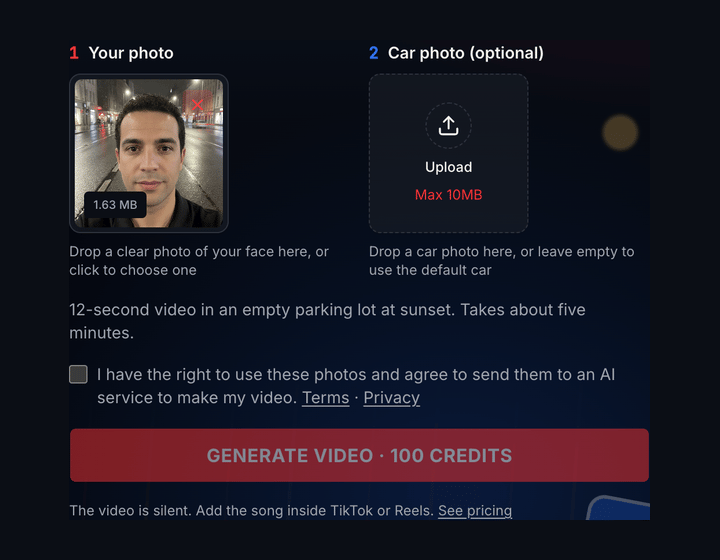
1Drop your photo in the left box
The first box takes a photo of you. It shows a thumbnail as soon as the upload finishes, so you can swap the photo before you spend credits.
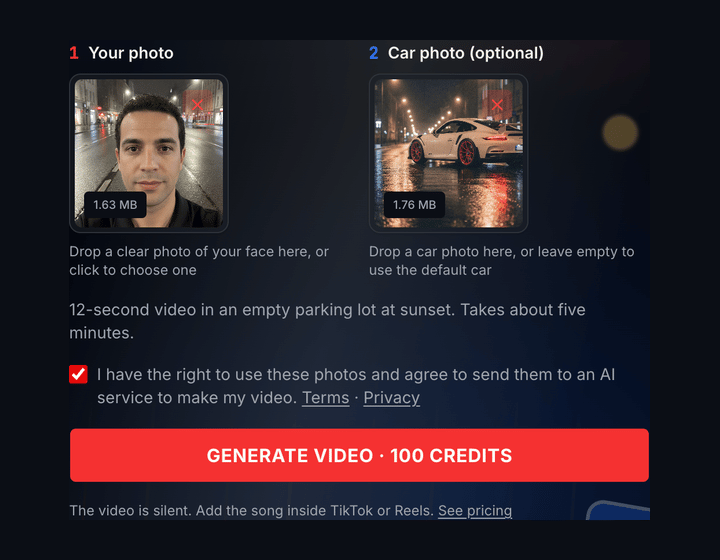
2Choose the car and confirm the consent
Add a car photo or leave the box empty to use the default car. Tick the photo consent, then check that the button shows 100 credits.

3Press Generate and download the result
Generation takes about five minutes. When it ends the clip plays in the preview, with a download button under the generator.
01
What the generator needs and what it returns
These settings are fixed so that each video follows the same four beats. If you want to see them one by one, the beat-by-beat table on the home page lists them.
| Details | |
|---|---|
| Your photo | Required. One person, face visible, JPG, PNG or WebP. |
| Car photo | Optional. A white sports car is used when you add none. |
| Video length | 12 seconds |
| Format | 16:9, 480p MP4 |
| Sound | Silent, add the song when you post |
| Scene | An empty parking lot at sunset |
| Time to make | About five minutes |
| Cost | 100 credits per video |
02
Why the scene is fixed
The generator does not ask you to describe a scene or write a prompt. A free-form scene gives the model more to get wrong: the car can drift away from your photo, the background can change between the first and last second, and the hand swipe can lose its timing.
A single sunset parking lot keeps the lighting consistent from your face to the car, which is what makes the reveal read as one handheld shot. You decide the two things that matter most: who is in it and which car appears.
03
Which photos work and which do not
| Photo | Works well | Causes problems |
|---|---|---|
| You | Front-facing, sharp, even light | Sunglasses, masks, group shots |
| You | Head and shoulders visible | Face tiny in the frame, heavy filters |
| Car | Whole car, side or three-quarter view | Cropped car, other cars in front |
| Car | Clear wheels and body colour | Dark photo, reflections hiding the shape |
04
Credits and cost per video
Each generation uses 100 credits and nothing else. You pay once, there is no subscription and no charge for downloading, and credits never expire. A failed generation returns its credits to your account.
The three packs are Starter (one video), Creator (three videos) and Studio (ten videos), and the price per video falls as the pack grows. See the pricing page for current prices.
05
How to fix a weak result
The face looks different
Use a sharper, closer photo with even light and no sunglasses, then generate again.
The car changed shape or colour
Use a photo that shows the whole car from the side, with the wheels visible.
A badge or a wheel looks wrong
AI can redraw small details. Pick a different angle of the same car, or accept the change for a casual post.
You want a different car
Change only the car photo and keep the same photo of yourself. The video then keeps your likeness.
06
After you download the video
The file is a 16:9 MP4. Upload it to TikTok, Instagram Reels or YouTube Shorts as it is, or crop it to vertical in the app first. Then choose "Unforgettable" by French Montana from the platform sound library, which keeps the music licence with the platform.
Check the car for small errors before you post, and say it is AI-made if your platform asks you to label that. For the background on the format, read the Unforgettable car trend guide or what the 24 in the trend car video means.
Frequently asked questions
Last updated 2026-10-18